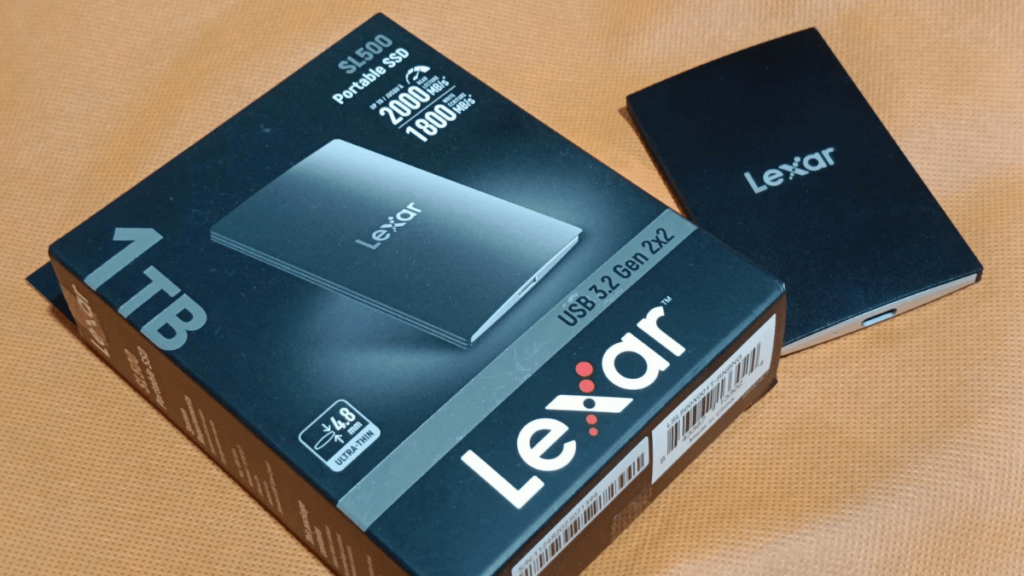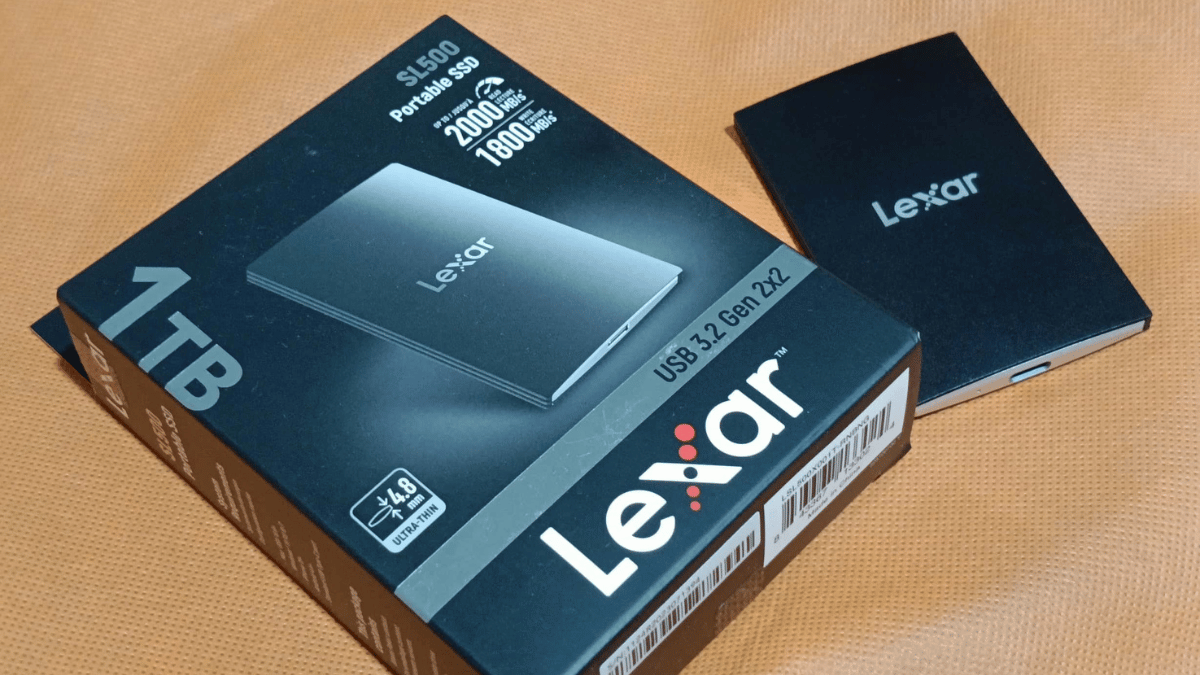

Storage is essential, especially for gamers, as games are becoming increasingly large. However, the storage options available in our gaming devices are not expanding at the same rate. Upgrading to higher storage can be quite expensive. There are alternatives if you don’t have an internal slot available or are not ready to invest in higher storage. One option is to use an external SSD, which serves as an expansion to your current storage rather than requiring an upgrade to your internal storage, especially when you are using portable gaming devices like a gaming laptop. But is it worth it? We have the Lexar SL500 to test its capabilities and determine if it is the right choice for you.
The Design
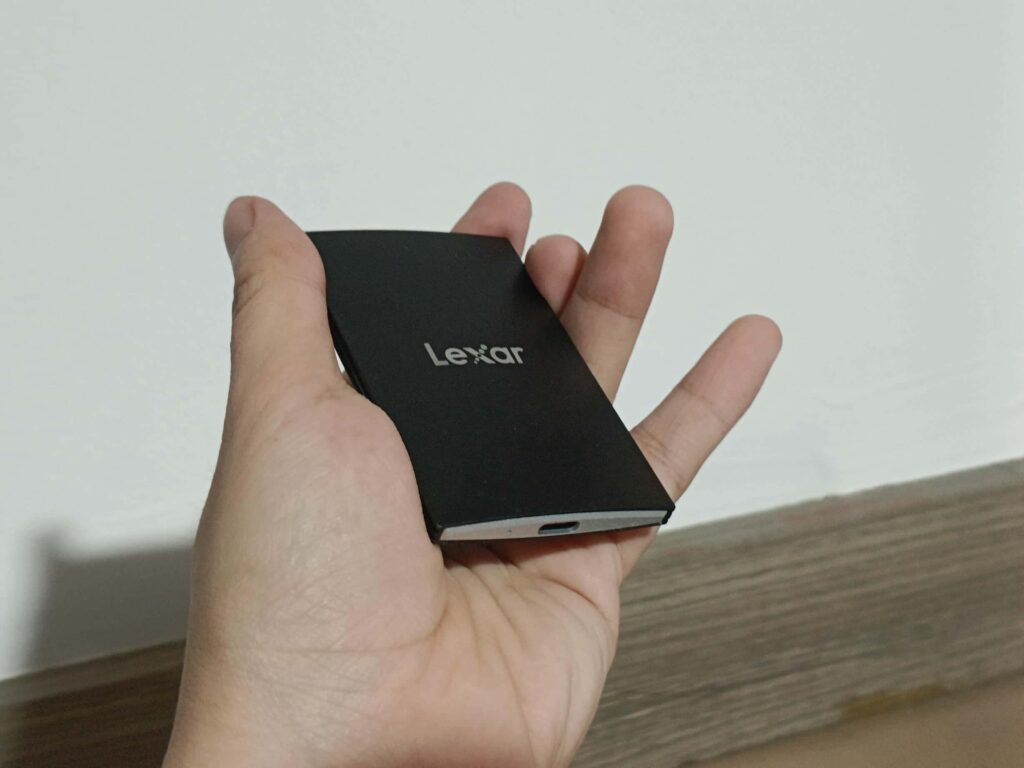
With dimensions of only 85mm (L) x 54mm (W) x 7.8mm (H), the Lexar SL500 is quite compact for an external SSD. The frame is made of aluminum, giving it a sturdy feel in hand. Its minimalistic design features the logo on one side, while the other side displays details such as the serial number, certification, and storage capacity. The overall look resembles that of a business card holder.
The SL500 has a USB Type-C port located at the top center, accompanied by a small status LED that glows when the drive is active. The included cable is a USB Type-C to USB Type-C cable.
Key Features and Specifications of the Lexar SL500
The Lexar SL500 has two storage configurations available in the Philippines: 1TB and 2TB. However, on their site, they also offer 512GB and 4TB options. To fully utilize its maximum throughput, you must have a computer or device with a compatible port, specifically USB 3.2 Gen 2×2, which has a maximum throughput of up to 20Gbps. We also want to note that their product page does not mention the Terabytes Written (TBW) value, which indicates the total amount of data an SSD can write over its lifespan.
When you first plug in the Lexar SL500, it comes with Lexar’s DataShield software, which protects the drive using AES 256-bit encryption. With the software installed on your computer, you can set a password for added security.
On its product website, it is stated that the Lexar SL500 can be used with Windows PCs, Macs, Android devices, and iPhone 15 or 16. While connected to an iPhone, you can record video in Apple’s ProRes format and save it directly to the SL500.
Although Lexar does not provide an IP protection rating, they mention that the drive undergoes extensive testing in their Quality Labs to ensure performance, quality, compatibility, and reliability. They also express confidence in the drive by offering a 5-year warranty.
Performance Testing: Gaming Speed and Load Times
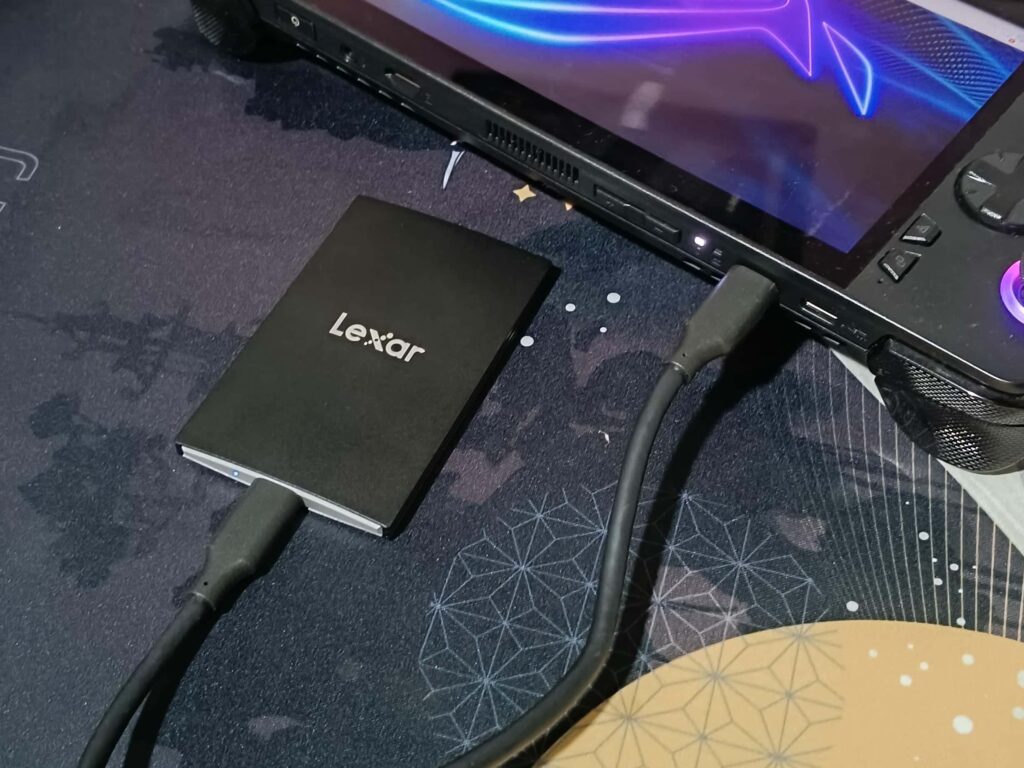
We have here the ROG Ally X to test out the performance of the Lexar SL500 besides that it is also a likely scenario that we are talking about in this intro. The ROG Ally X has a USB 4 port which should be technically possible to hit the maximum performance of the SL500 but we are encountering some issues which result in only getting the half of the performance.
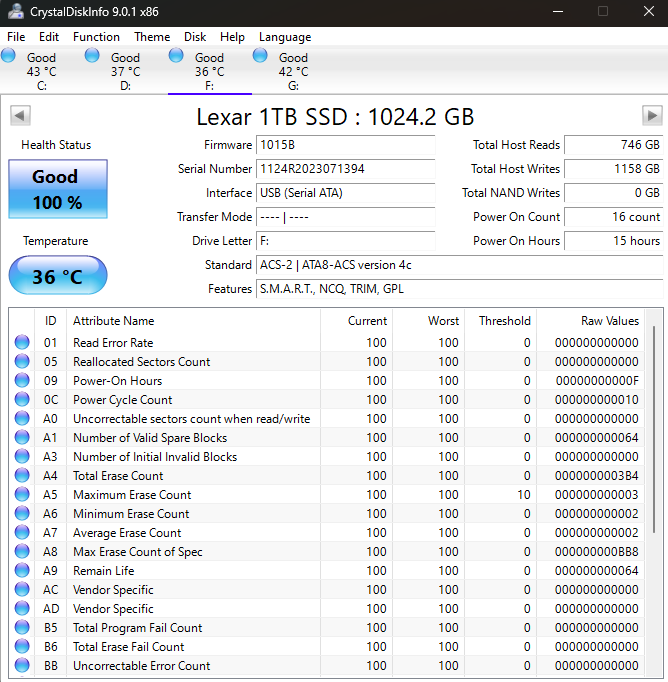
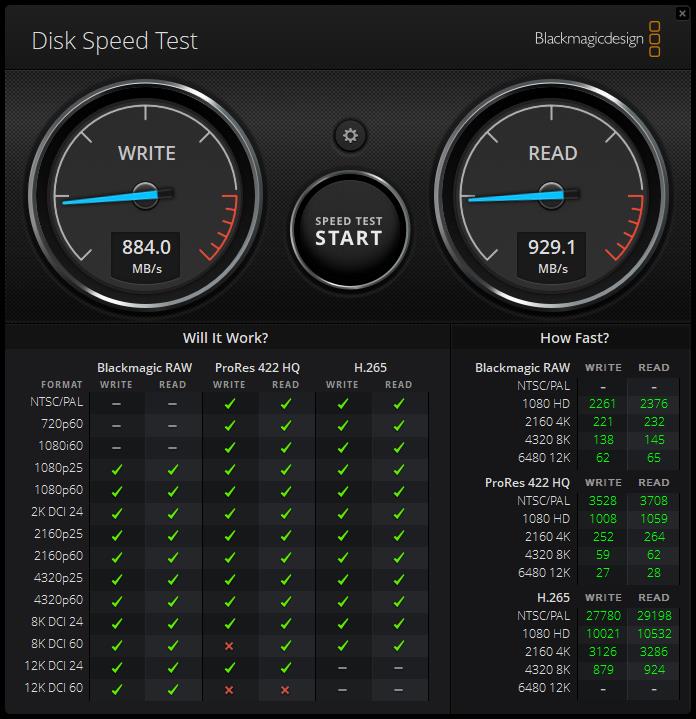
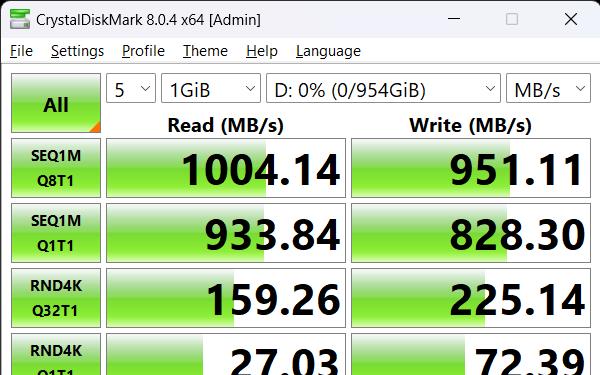
We ran tests using CrystalDiskMark, the 3DMark Storage test, and Blackmagic’s Disk Speed Test to assess its performance in various tasks, including transferring large files, installing and playing games, and reading and writing video in multiple formats.
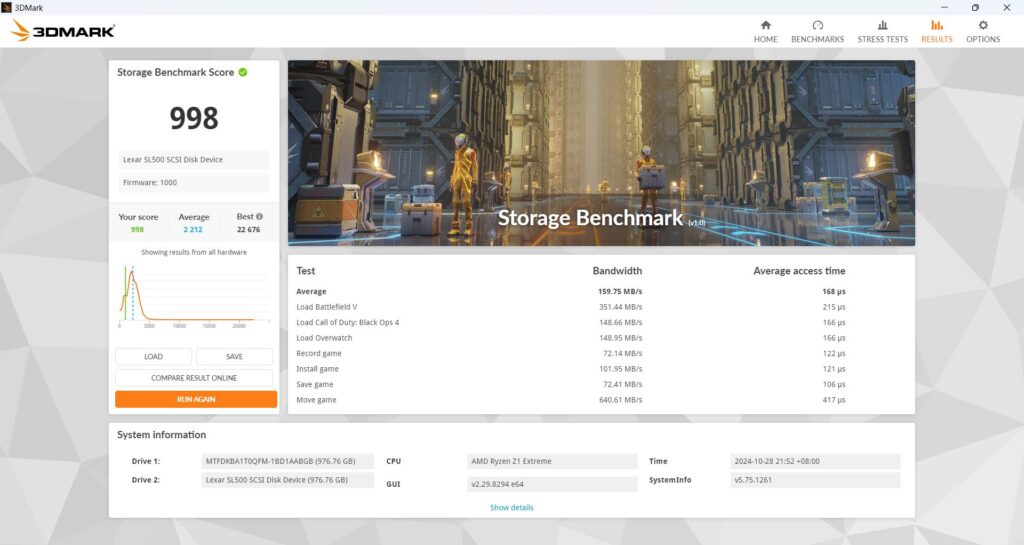
| Bandwidth Lexar SL500 | Bandwidth NVMe PCIe 4.0 x4 | |
| Average | 160.5 | 303.17 |
| Load Battlefield V | 348.3 | 623.41 |
| Load Call of Duty: Black Ops 4 | 146.75 | 460.73 |
| Load Overwatch | 146.77 | 286.86 |
| Record game | 71.4 | 108.86 |
| Install game | 104.87 | 160 |
| Save game | 76.42 | 116.74 |
| Move game | 639.01 | 1405.12 |
In all our tests, we encountered challenges in fully maximizing the SL500’s speed. But, even if this is the case, it remains much faster than a typical HDD or using the ROG Ally X’s microSD card slot.
Side note: After completing all the benchmarks, I learned from a reviewer friend that USB 4 is not backward compatible with USB 3 because it uses a different protocol. That is why the results we obtained are like that.
Final Verdict: Should Gamers Invest in the Lexar SL500?
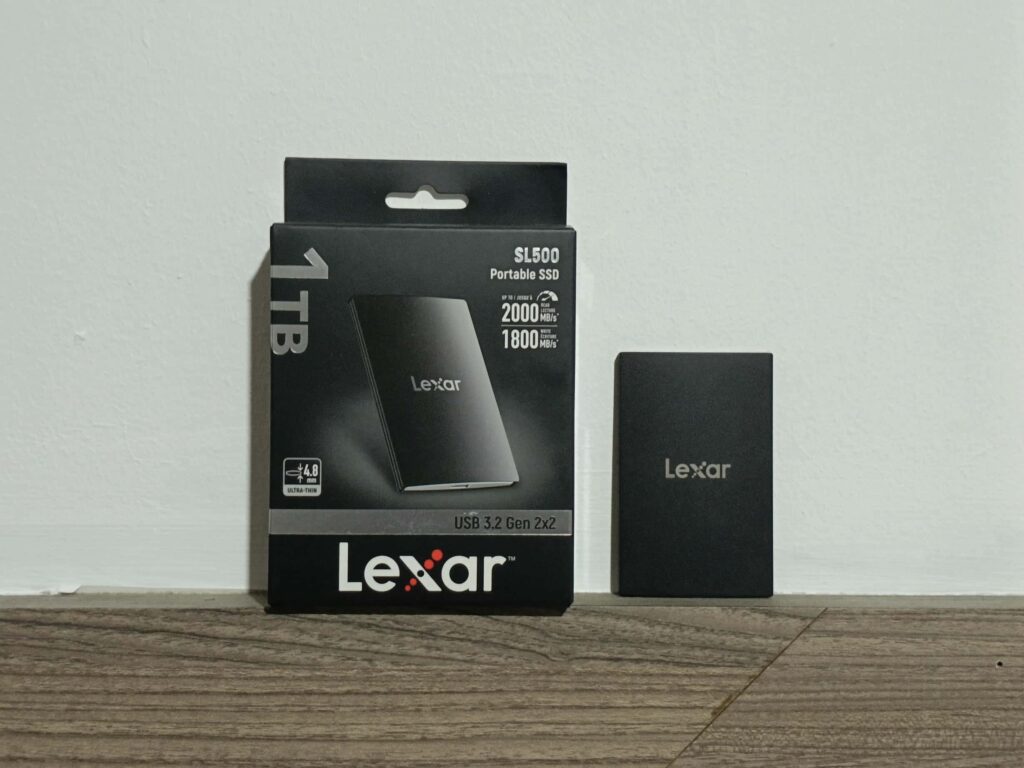
The Lexar SL500 is a truly portable external SSD, small enough to slip into your pocket when traveling. With AES encryption, it offers protection, making it difficult for anyone to access your files if the drive is lost or stolen. Sadly, we couldn’t fully utilize its maximum speed due to hardware limitations, it still performed well at half of its potential. Just ensure your device is compatible with USB 3.2 Gen 2×2 for optimal performance. Additionally, it’s available in a variety of capacities, up to 4TB.
One possible downside is its lack of ruggedness, so you may need to handle it more carefully compared to an external SSD with basic rugged features. Nevertheless, the Lexar SL500 is a solid choice for an external SSD; just keep in mind that you’ll need a USB 3.2 Gen 2×2-compatible device to fully utilize its speed potential.
Pros
- Metal Frame
- 256-bit AES encryption
Cons
- Needs a USB 3.2 Gen 2×2 port for maximum speed
Check more gaming tech reviews here: www.enduins.com/gaming-tech